How to choose the right battery for your gaming laptop
April 21, 2025
Difference Between Original And Oem Batteries
April 25, 2025If you’re a gaming enthusiast, chances are your laptop is working intensely and heating up quickly.
One of the questions we often hear is, “Can I charge my gaming laptop while I’m playing a game?
First of all, you should know that the power consumption of gaming laptops is far more than that of thin and light laptops. In normal standby mode, unplugged gaming laptops usually standby for an hour or two up or down, and depending on the length of time of use resulting in battery depletion the standby time may be even shorter.
Why do gamers prefer to be plugged in?
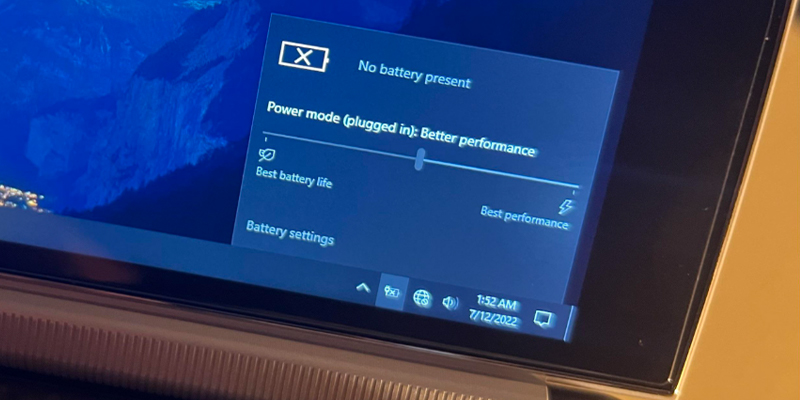
Gaming laptops require high power to run advanced graphics processing and intensive tasks. Without charging, your laptop may switch to power-saving mode, which can affect performance.
That’s why most gamers plug in while gaming – maintain maximum power and a smooth gaming experience.
Plugging in a power source ensures that the computer has a stable power supply and avoids CPU throttling or GPU performance limitations due to low battery.
For example, when a laptop is powered by battery, in order to extend battery life, the CPU and GPU performance may be limited, resulting in a drop in game frame rate and lag.
Will this damage the battery?
Shortens battery life: Charging during intense use increases heat, which is the enemy of battery health.
This will shorten the life of the battery
Automatic power-off when fully charged: When the battery reaches 100%, the motherboard chip cuts off the charging circuitry and switches to direct power from the mains, leaving the battery in a “standby” state.
Passivation and High Temperature: Long-term full-charge storage will lead to reduced lithium ion activity, and high temperature environment, will accelerate the decomposition of chemical substances.
Best Charging Habits for Gamers
Always play games in a cool environment. Use the original charger to avoid power fluctuations.
Unplug occasionally if you perform some light operations after gaming.
You can play games while charging, but keep an eye on the temperature and battery health.
The right settings will keep your gaming laptop powerful and safe.