Traditional vs Solar Laptop Batteries: Industry Trends 2024
April 7, 2025
MacBook Winter Power Safety Guide
April 10, 2025Winter is here, why is my MacBook Air battery suddenly “not working”?

“I was just writing an email in a cafe, and the battery level jumped from 80% to 20%, and it shut down in less than an hour!”
This is feedback from a real customer. Every winter, many MacBook users write to say: MacBook battery drains too fast, charges slowly, or even cannot be charged at all. Why is this?
Why is the MacBook battery not durable in cold weather?
Don’t worry, it’s not your computer that has a problem, it’s actually the “natural reaction” of lithium batteries. Let’s briefly talk about the scientific principles behind it:
- The battery becomes less efficient in cold environments
MacBooks use lithium batteries, which rely on chemical reactions to store and release energy. But once the temperature is too low, these chemical reactions become very slow, and the battery outputs less power naturally. - The system runs harder
In cold weather, in order to maintain stability, the Mac system will automatically turn on more background functions to “keep out the cold”, resulting in faster power consumption. - Extreme low temperatures may damage the battery
If you use your MacBook in an environment close to 0℃ or even colder, the battery may enter “self-protection” mode and even refuse to charge.
“My MacBook won’t charge, is it broken?”
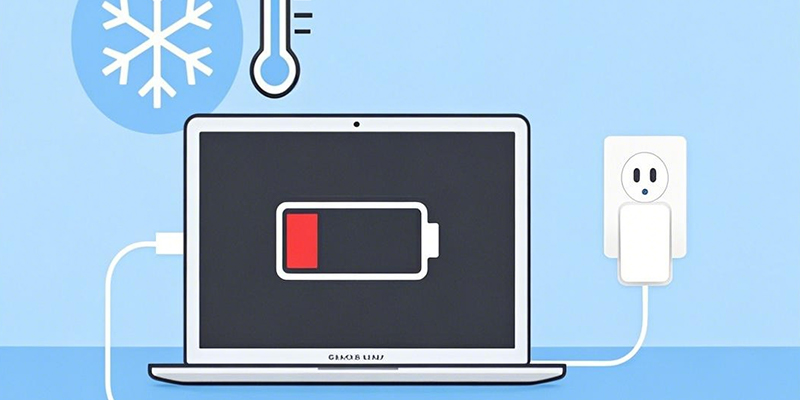
No, this is actually the low temperature protection mechanism of the Mac at work. To avoid damaging the battery, the system will prevent charging when the temperature is too low. You may encounter the following situations:
The battery does not charge when plugged in
It displays “Not Charging” or an “X” appears on the battery icon
The battery drops too quickly
How to “warm up” the MacBook and restore normal battery performance? Here are some simple and practical methods:
Warm up the Mac before charging
Bring the MacBook into a room with a room temperature above 10℃. Don’t charge it immediately. You can watch a video or run a small program to “warm up” it.
Warm up the charger
Don’t forget to “warm up” the charger as well! Sometimes the charger cannot be charged because the power adapter itself is too cold.
Avoid running at high load while charging. In winter, be careful not to charge while playing games, as this will increase the burden on the battery and affect the battery life.
Use tools like CoconutBattery to monitor battery health
Free tools like CoconutBattery can help you keep track of battery health (such as number of cycles, battery life, etc.) so that you can detect and handle problems early.
Maintain a suitable use environment
The ideal use temperature is 20℃-30℃, which can extend battery life and make the device more stable.
Your MacBook Air’s “fast power loss” and “unable to charge” in winter are really not isolated cases, nor are they equipment failures, but normal reactions caused by the physical properties of lithium batteries. As long as you “warm it up” before using it, the battery performance will recover a lot.